
7 min readSystem Design, Networking
What Happens When You Type google.com?
The full path from pressing Enter to seeing pixels: DNS, TCP, TLS, the server, and the part most explanations skip, the browser's render pipeline.

This is the interview question everyone has heard. I got asked it early on, gave a three sentence answer about DNS and a server, and moved on feeling fine about it.
Then I started actually building things that had to be fast, and I realized my answer was missing most of the story. The interesting part is not that a request goes out and HTML comes back. It is how much work gets done to make that feel instant.
Here is the version I wish someone had given me.
The browser parses the URL first
Before anything touches the network, the browser has to understand what you typed.

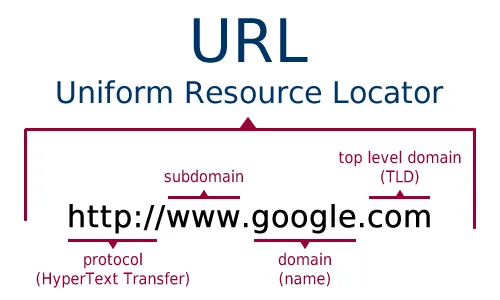
A URL breaks into parts:
httpsis the scheme, which decides how the conversation happenswww.google.comis the host, which decides who you are talking to- anything after the host is the path, query string, and fragment
Two things happen here that people skip over.
First, the browser checks whether you typed a URL at all. If you type google.com it treats it as a host. If you type what happens when it hands the whole thing to your search engine instead.
Second, the browser checks its HSTS list. Google is on the preloaded list that ships inside Chrome, so even if you type http://google.com, the browser upgrades it to https locally before a single packet leaves your machine. There is no insecure request to intercept.
DNS turns the name into an address
Machines route by IP address, not by name. So the browser needs to answer one question: what IP is www.google.com right now.
It checks a series of caches, in order, and stops at the first hit:
- Its own in-memory DNS cache
- The operating system cache
- Your
hostsfile - Your configured resolver, usually your ISP or something like
1.1.1.1
Only if all of those miss does the resolver do the full walk: ask a root server which nameservers own .com, ask those which nameservers own google.com, then ask those for the actual record.
You can watch the answer yourself:
dig +short www.google.com
Run that from two different cities and you will get different IPs back. Google announces the same addresses from many locations using anycast, so the network hands you whichever data center is closest. The name lookup is already doing load balancing before you have connected to anything.
This is also why DNS caching matters so much. A cold lookup can cost 20 to 120ms. A warm one costs nothing.
TCP opens the connection
Now the browser has an IP and needs a reliable pipe to it.
IP handles addressing, getting a packet to the right machine. TCP handles reliability, making sure the bytes arrive in order and nothing is silently dropped. The two work as a pair.
Opening a TCP connection takes a three step handshake:
- Client sends
SYN - Server replies
SYN-ACK - Client sends
ACK
That is one full round trip before any real data moves. If the server is 200ms away, you have spent 200ms and sent zero bytes of your actual request.
TLS makes it private
The s in https means the connection gets encrypted before any HTTP is sent.
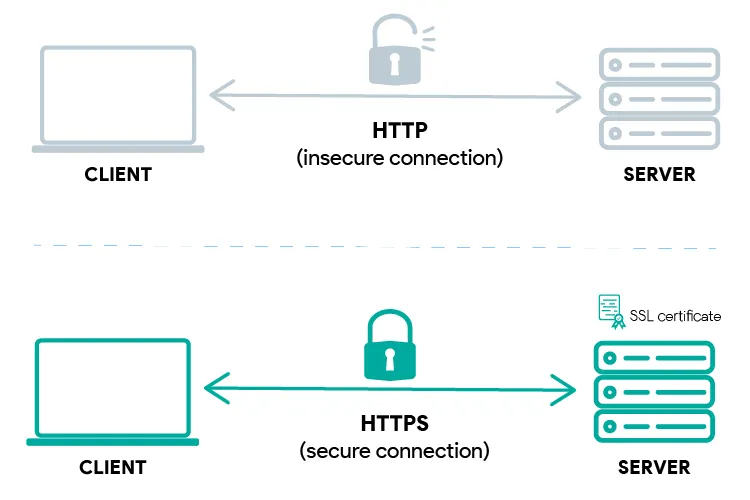
During the TLS handshake the server sends its certificate, your browser checks that certificate chains up to a certificate authority it already trusts, and both sides agree on keys for the session.
The version matters more than people expect. TLS 1.2 needs two round trips. TLS 1.3 needs one, and can do zero on a repeat visit to a site you have already talked to. That is a real chunk of latency removed for nothing more than a protocol upgrade.
Add it up for a cold connection on TLS 1.3:
- DNS lookup
- TCP handshake, one round trip
- TLS handshake, one round trip
Three waits before the browser has asked for a single byte of HTML. This is the entire reason HTTP/3 exists. It runs over QUIC on UDP and folds the transport and crypto handshakes together, so a fresh connection costs one round trip instead of two.
The request reaches a server, but not the one you think
Your GET / now travels out through your router, your ISP, and across a chain of networks to that anycast address.
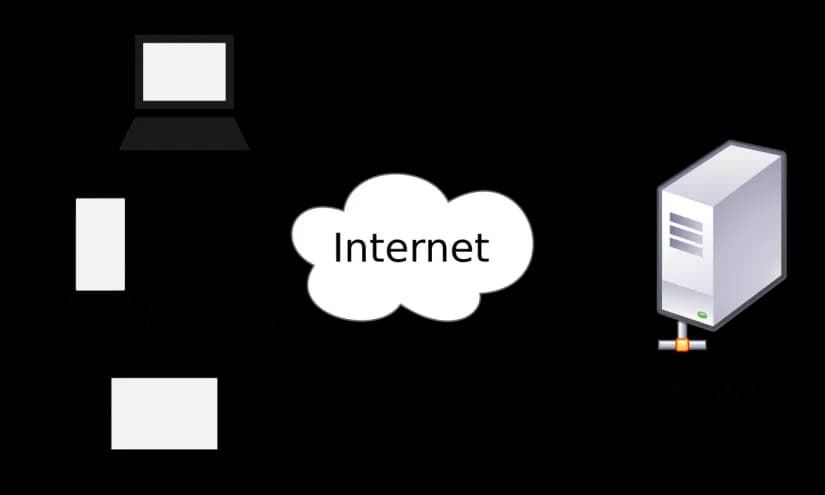
What answers is almost never a single origin machine. It is an edge server, and in front of the real application sits a load balancer spreading requests across a pool so that no one box carries everything and any single failure is survivable.
This is the part that changed how I build. Once you accept that many identical servers handle your traffic, you cannot keep state in a single process. No session in local memory, no uploaded file on local disk. Push state into a shared store or a queue and treat each server as disposable. Every backend decision I make now follows from that.
If there is dynamic work to do, this is where it happens: the application server runs your code, queries a database, and assembles a response.
You can see the reply without a browser in the way:
curl -I https://www.google.com
You get back a status line, a set of headers, and then the body. 200 means here is your content. 304 means you already have it, use your cache. 301 and 302 mean go ask somewhere else, which costs another full round trip.
The browser turns bytes into pixels
Here is the part that gets left out, and it is where most of the perceived speed of a page actually lives.
HTML arrives as a stream, not as a finished file, and the browser starts parsing before the last byte lands. Roughly:
- HTML into the DOM. The parser builds the document tree as bytes arrive.
- CSS into the CSSOM. Stylesheets are render blocking. The browser will not paint until it has them, because painting early would mean flashing unstyled content.
- Render tree. DOM and CSSOM combine into the set of nodes that are actually visible.
- Layout. The browser computes the exact geometry of every box.
- Paint and composite. Pixels are filled in, layers are assembled, and the frame goes to the screen.
Two details from this list explain a lot of real world performance work.
A blocking <script> in the <head> stops HTML parsing dead, because the script could call document.write and change the document underneath the parser. That is the entire reason defer and async exist.
And while a script is blocking, the preload scanner keeps reading ahead to find images and stylesheets so it can start fetching them early. It is one of the biggest speed wins browsers ever shipped, and it is invisible.
Why any of this matters
The honest answer to the question is that dozens of systems cooperate, each one with its own cache, and the whole thing lands in a few hundred milliseconds.
But the reason I like the question now is that every layer is somewhere you can lose time, and knowing which layer you are losing it in is the whole job:
- Slow first byte usually means DNS, TLS, or the server itself
- Fast first byte but a blank screen usually means render blocking CSS or JavaScript
- Fast everywhere on your machine and slow for users usually means you are geographically close to your server and they are not
Open the Network tab, look at where the time actually goes, and fix that layer. That is a much more useful skill than being able to recite the steps.